
Watch the Path Tek tutorial with its English audio track. If the player opens in French, choose Settings → Audio track → English (US). YouTube dubbed the French original.
Have a voice-over that sounds like it was recorded next to a desk fan? Open Voice Isolator in ElevenLabs, upload the recording, and run the isolation. You can listen to the result and download it without setting up a chain of audio filters. The two audio players below let you hear the original recording before and after processing.
Astuce2Geek may earn a commission if you make a purchase through links in this article, at no extra cost to you.
Try Voice Isolator in ElevenLabs.
The quick version
- Keep the original recording and make a short test clip.
- Open Voice Isolator in ElevenLabs.
- Upload the clip or record a few lines with your microphone.
- Click the black arrow button to isolate the voice and preview the result.
- Download the result and play the file from start to finish.
What Voice Isolator can do for your recording
Voice Isolator separates speech from the sound around it. You can try it on fan noise, distant traffic, room sounds, or music under a spoken track. A steady hiss behind a clear sentence gives it more to work with than a gust of wind that drowns out every word.
Start with an existing file. If you see a text box and a menu for picking a voice, return to the audio tools and look for Voice Isolator. Our guide to ElevenLabs text-to-speech covers the script-to-voice workflow in French.
Listen for what the tool preserves as well as what it removes. A recording with clipped or missing words may still be hard to understand after processing, even if the background sounds quieter.
Prepare a short, representative clip
Play the original in an ordinary audio player first. Check that you hear the right voice, that the duration matches, and that the audio plays all the way through. Keep an untouched copy as explainer-original.wav and give the cleaned copy a different filename.
Choose a 20- to 30-second test with a complete sentence, a short pause, and the noise you want to remove. If a distracting sound appears halfway through the file, include it in the test clip. Keep your original format if ElevenLabs accepts it.
The official Voice Isolator documentation lists MP3, WAV, M4A, AAC, AIFF, OGG, OPUS, and FLAC among the supported audio formats. It also lists video containers including MP4, MOV, and WebM. The documented limits are 500 MB and one hour per file. Check both and review the credit estimate before processing the full recording.
1. Open Voice Isolator in ElevenLabs
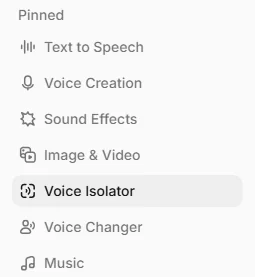
Sign in and look for Voice Isolator. In the demo, it’s pinned to the sidebar. You can also look under Audio Tools or open Voice Isolator directly. You should see controls for uploading or recording audio.
On a phone, open the collapsed menu to find Audio Tools. If you’d rather work on a computer, transfer the clip first. A file that displays in a cloud app may need to finish downloading before the browser can upload it.
2. Upload a recording or use the microphone
Click Upload audio and select your clip. On a computer, you can also drag the file into the upload area. Once the transfer finishes, check the displayed filename and the estimate for processing it.
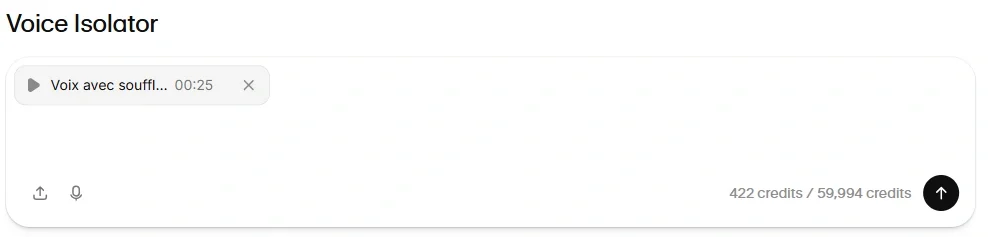
If you can’t find the file, check the selected folder and the file-type filter. Recordings made on a phone may be in Files, Downloads, or an app-specific folder. Save a local copy somewhere you can find it.
If a file uploads badly, check that it plays locally and meets the size and duration limits. A ten-minute lossless recording can be too large. A small two-hour MP3 still runs too long. Export a shorter clip from an editor when needed. Renaming .m4a to .wav leaves the audio format unchanged.
Record straight from your microphone
Start a new recording in Voice Isolator, allow the browser to use your microphone, speak a few lines, and play it back. For an important take, use your device’s recorder first so you have a local original you can save and upload again if the connection drops.
If the microphone is silent
Check the mute switch on the headset or USB microphone, then check which input the system picked. A webcam mic, headset, and built-in mic may all appear in the menu. In your browser’s site permissions, allow microphone access for ElevenLabs and reload if asked. If the local recording app is silent too, check the microphone privacy settings in Windows or macOS.
3. Run the isolation and compare both clips
Select Isolate voice. In the recording, it’s the black button with the up arrow. The icon or label can vary by version. Check the ElevenLabs Voice Isolator guide if your screen looks different. Wait for the job to finish, then select its entry in History to open the player at the bottom of the screen.

These are the two files from the original French demonstration. Play one at a time at a similar volume so you can hear what happens to both the voice and the hiss.
Before processing — voice with background hiss
Open the original recording (WAV)
After processing — isolated voice
Open the cleaned recording (MP3)
Use headphones and listen to a full sentence. Can you understand the words more easily? Does the ending sound intact? Compare the brief pause for residual noise, then return to the speech. If the processed voice sounds thin or metallic, retry from the original. Reprocessing the cleaned file can compound artifacts.
4. Download the cleaned audio and check the export
Choose the download button next to your result. The demo’s menu offers MP3, WAV, and FLAC. Pick a format your editor accepts, wait for the transfer, then open the actual downloaded file. Listen through the last line and check that you’ve downloaded the cleaned version.
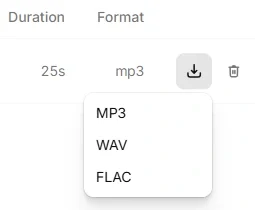
Keep the export beside the original in your project folder. If the file is missing, check the browser’s download history, its destination folder, and free space. On a phone, search your Files app for the exact name. If you need a different format, use your audio editor’s export function.
Put the clean dialogue back into your video
Import the isolated track, line it up with the original take, and mute the original while reviewing. Playing both can produce a doubled or echoing voice. Check lip sync at the beginning, middle, and end. If the track drifts, look for a missing pause, an omitted cut, or an offset before changing playback speed.
If you upload a video and get an audio file back, use that file in your editor. Check which export options your account offers before expecting a new video file.
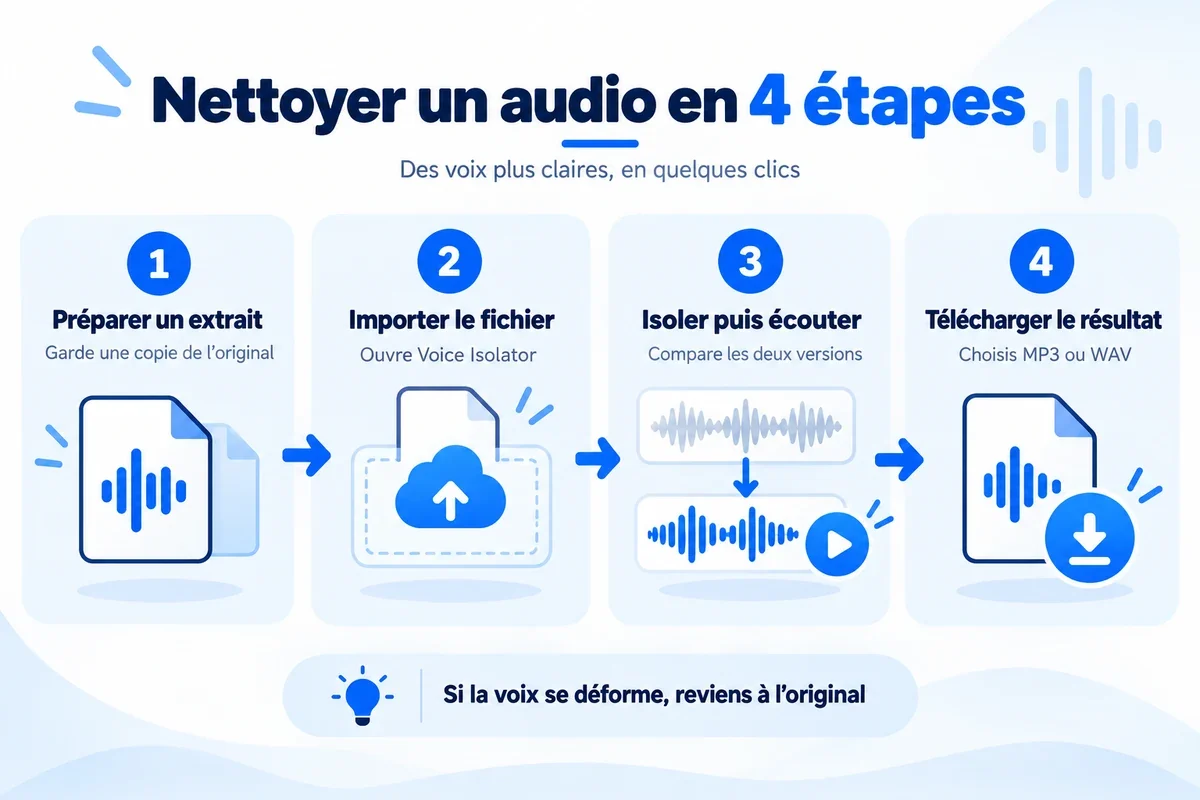
Fix common Voice Isolator problems
| Problem | Check first | What to try next |
|---|---|---|
| The file is rejected | Check the format, duration, and size. | Export a short test clip that plays correctly on your device. |
| The microphone is silent | Check the selected input and permissions. | Record locally and upload the saved file. |
| Processing won’t start | Read the error and check your credits. | Wait for the upload to finish. Try a short file after signing back in if needed. |
| The voice sounds metallic | Compare the processed track with the original. | Retry from the untouched source or keep the better take. |
| The file didn’t download | Check the browser’s download history. | Check the destination folder and free space. |
| The voice echoes in your edit | Check whether both tracks are playing. | Mute the source track and check sync again. |
The voice sounds metallic
Separating noise that overlaps speech can thin out consonants and create a filtered sound. Play the unprocessed take at the same volume to check whether it was already clipped or heavily compressed. If a clean upload still comes back distorted, keep the best take, rerecord in a quieter room, or fix just the troublesome passage in your editor.
You can still hear another speaker
A conversation in the background is speech too, and overlapping voices can be hard to separate. Move the microphone closer to your speaker next time. If you have a track for each person, clean the tracks separately before mixing. ElevenLabs also describes Voice Isolator as a tool for speech. Test a short section before using it to pull singing out of a mix.
Check your credits before processing a long recording
Review the estimate shown in your account and the current ElevenLabs plans. Website and API usage can be billed differently. If you have several long recordings, factor in the combined duration and any retakes you want to keep.
Once the test sounds right, run the full recording from the original and revisit the spots where noise was most distracting. Keep background music and sound effects on separate tracks in the edit so you can change their level later.
Frequently asked questions
Can I remove background noise with ElevenLabs for free?
Check the tools and credits available in your account. Review the cost estimate before running a long file.
Should I use Voice Isolator or Voice Changer?
Use Voice Isolator to clean up a recording and Voice Changer to change the voice in it. A cleanup doesn’t require picking a replacement voice.
What can I upload to Voice Isolator?
The official documentation lists common audio formats including MP3, WAV, M4A, and FLAC, plus video formats including MP4 and MOV. It lists a limit of 500 MB and one hour per file.
What can I do if the processed voice sounds metallic?
Compare it at the same volume with the original. Retry from the untouched recording, or keep the better take and rerecord in a quieter room if needed.
Can I keep the video and use the cleaned voice?
If the tool gives you an audio track, import it into your editor, align it with the footage, and mute the original sound.
Can Voice Isolator separate vocals from a song?
The tool is designed for speech. Test a short excerpt and listen for broken words or musical artifacts before processing a whole track.